

Tema
-
Dream Count
5,048 -
Joined
-
Days Won
439 -
EcchiCredits
201,184 [ Donate ]
Content Type
Community Articles
News and Announcements
Roleplayer Preferences
Rules and Required Readings
Private Roleplayers Bulletin Board
EcchiDreams Guides
Community
Gallery
Everything posted by Tema
-
By tapping any of the pictures in this article you can see the enlarged versions of them. At the top of most pages on EcchiDreams, you'll find a small icon with three lines (called a hamburger button ≡). If you click on it you'll be presented with a menu, like so: This has been circled in green so you can see it, just tap on that. You will then be presented with this menu: Just tap on account, and you'll be taken to the next menu level: Notice "Account Settings", which is highlighted with a green underline; tap on that. You will then be presented with this screen: Tap the "≡ Settings Area" button Where you'll see this: And it really is as simple as that. Happy Dreaming!
-
At the top of most pages on EcchiDreams, you'll find a small version of your avatar with your display name next to it. If you click on it you'll be presented with a menu, like so: Notice "Account Settings", which is highlighted with a green underline; click on that. You will then be presented with this screen: And it really is as simple as that. Happy Dreaming!
-
Straight up information on how to access your account settings once you've registered, this is useful for all the guides in this section. Your account settings allows you fine control over your account here on EcchiDreams. See below for what you can do with it. This guide is split into two sections, not including this introduction: Introduction (You are here) Desktop/Laptop Users Mobile/Tablet Users If you are uncertain as to which you're on, please click (or tap) here. What can you do with account settings? Each piece of information here will link to another guide that you can click or tap on, to see how to do that function. Updating your Email Address Change your Password Manage Account Security Manage Recently Used Devices Set up Signature Preferences Link your Facebook Account Link your Google+ Account Set Poke Preferences Set your Country Flag (In your Profile) Set your Leave of Absence Manage Notification Settings Edit your Profile Manage Ignored Dreamers
-
Tap or click on any of the pictures to expand them to full size. All devices you've used in the last 90 days on EcchiDreams, as well as approximate locations, are recorded for you to review at any time. In the Account Settings, find Recently Used Devices; this should be right under the Account Security menu item, which we explain how to get to in the previous parts of this guide. Reviewing this information can be quite important, and certainly this is a useful tool for you to have in seeing if your account has been breached by someone. If you see anything you don't recognise, then you should absolutely click or tap here to review your security settings, and even secure your account. There are a number of things you can do from this control panel, such as remotely log out of your devices. Useful if, for example, you've logged in with your phone, and you've lost it or had it stolen... Or worse (and we obviously hope that never happens to anyone). Just simply click "Sign Out" on the stolen device, and change your password just in case. This will also work if you signed in on a public or shared computer and forgot to sign off. If someone who accessed your account got in via Facebook or Google+ (if you have any of these synced to your account), then we'd advise that you change your Social Media password; again you'll see from this section if that is the case. If someone (or you) logs into your account from a device that's unknown to EcchiDreams, you will automatically receive an email telling you about this too, at which point you can decide the correct course of action to take; including logging that person out. The button will take you to the page to secure your account again.
-
This guide starts from the point where you are in the Account Settings for your account. If you do not know how to get to account settings, please read the "Accessing Account Settings" guide by tapping here. Also; by tapping any of the pictures in this article you can see the enlarged versions of them. From the Account Settings menu, just under Password, tap "Account Security". You will then be presented with this screen: Click "Enable" and a modal will appear, greying out the rest of the site. Like so: If you don't already have the application, you can download it for free from the Apple App Store or Google Play. These links can be found in the introduction, and they can be found on the Setup box. Then start up the app on your mobile device. Once you've got the app loaded, press the red circle with a "+" in it, and select Scan QR Code. If your phone doesn't have a camera, or it's broken, then at the "Set Up Account Verification" section on EcchiDreams, click the "Not able to scan QR Code?", then press the red circle on your device and fill out the information appropriately. You'll be then given a code which you must input back into the box on EcchiDreams, and that's it; press "Verify Code" and you're all set. Protip: Wait until the circle next to the code is as full as possible to press your finger down on it to copy the code. Then, you can switch back to the website and paste it into the box. Happy dreaming!
-
This guide starts from the point where you are in the Account Settings for your account. If you do not know how to get to account settings, please read the "Accessing Account Settings" guide by clicking here. Down the left hand side in Account Settings, there is a menu. Under Password, click on "Account Security". You will then be presented with this screen: Click "Enable" and a modal will appear, greying out the rest of the site. Like so: If you don't already have the application, you can download it for free from the Apple App Store or Google Play. These links can be found in the introduction, and they can be found on the Setup box. Then start up the app on your mobile device. Once you've got the app loaded, press the red circle with a "+" in it, and select Scan QR Code. If your phone doesn't have a camera, or it's broken, then at the "Set Up Account Verification" section on EcchiDreams, click the "Not able to scan QR Code?", then press the red circle on your device and fill out the information appropriately. You'll be then given a code which you must input back into the box on EcchiDreams, and that's it; press "Verify Code" and you're all set. Happy dreaming!
-
Setting up Two-Factor Authorisation (Sometimes referred to as 2FA) is a very sensible precaution. In our "Changing your Password" guide we recommend using 2FA, and this guide will show you how. We'll also briefly talk about the Recently Viewed Devices option in account settings. This guide is split into three sections, not including this introduction: Introduction (You are here) Desktop/Laptop Users Mobile/Tablet Users Recently Viewed Devices If you are uncertain as to which you're on, please click (or tap) here. You will need a mobile device and the Google Authenticator app which you can get here:
-
This guide starts from the point where you are in the Account Settings for your account. If you do not know how to get to account settings, please read the "Accessing Account Settings" guide by tapping here. Also; by tapping any of the pictures in this article you can see the enlarged versions of them. From the Account Settings menu, just under Email Address, tap on "Password". You will then be presented with this screen: From here just input your current password, and enter the new password you'd like. EcchiDreams will show a password strength-o-meter and enforce a Fair password or better. Like so: Once you've entered your password, just hit save. You'll get a "Password Successfully Changed" Box appear, and the text boxes will go blank again. You will also receive an email from us just to confirm you changed your password (because if you didn't, it means someone else did; if this is the case, please immediately email us back by just replying to it). That's it. Happy dreaming!
-
This guide starts from the point where you are in the Account Settings for your account. If you do not know how to get to account settings, please read the "Accessing Account Settings" guide by clicking here. Down the left hand side in Account Settings, there is a menu. Under Email Address, click on "Password". You will then be presented with this screen: From here just input your current password, and enter the new password you'd like. EcchiDreams will show a password strength-o-meter and enforce a Fair password or better. Like so: Once you've entered your password, just hit save. You'll get a "Password Successfully Changed" Box appear, and the text boxes will go blank again. You will also receive an email from us just to confirm you changed your password (because if you didn't, it means someone else did; if this is the case, please immediately email us back by just replying to it). That's it. Happy dreaming!
-

I am new here,but i've being doing this for years.
Tema replied to BlackShino's topic in EcchiDreamers Welcome Forum
Hello BlackShino, I apologise firstly for not welcoming you sooner. I've been quite busy and somehow I missed this topic. But:- Welcome, to EcchiDreams! -
Changing your password from time to time is not only smart, but advisable. In this introduction we'll share some best practices as well as some tips and tricks, and then show you how to change your password further into the guide. Changing your password is very easy, and we recommend doing so from time to time. Remember: It is your sole responsibility to protect your account from any access by anyone who isn't you, be that authorised or unauthorised, and it is highly recommended that you do not share your account with others. If you must share your computer or other browsing equipment with another person, or you are using a public computer, it is also highly recommended that you make sure you log out of your account after use. This guide is split into two sections, not including this introduction: Introduction (You are here) Desktop/Laptop Users Mobile/Tablet Users If you are uncertain as to which you're on, please click (or tap) here. Best Practices When setting a password, we recommend: That it is not a dictionary word, and would be hard to guess by a third party. That it contains an assortment of letters, numbers and symbols, and that your password is over 8 characters long. This will help prevent brute forcing (a technique used to systematically go through every character in any language to guess the password). That, if possible, you do not reuse any password from any other site; especially where it might be known to the owners, administrators, staff, members, or third-party companies of that site. If you’re using a complex password, please use a free open source password manager with encryption. Do not write down your password, or store it in plain text. We also recommend: Changing your password, at either 6 month or 12 month intervals. Never using the same password on multiple sites. (Seriously, don't!) Setting up Two-Factor-Authentication, which you can learn about here. (Needs to be written up) KeePass We very highly recommend KeePass which is a free, OSI Certified (which means it's open source), and very secure password manager for Windows. There are contributed versions for Linux, Mac, Apple Mobile, and Android as well, as you can see on their downloads page. It is quite feature rich, and even contains a password generator that you can customise (and EcchiDreams does work with High-ANSI characters, which makes it even harder to brute force because of the array of possible symbols used). Of course you may want to use a different password manager, and that's completely fine; as they let you have a master password if used properly, you'll never have the same password on multiple sites. Disclaimer: Please note that whilst this is extremely unlikely any damages may be caused from either proper or improper use of the software, we are not responsible or liable for any that do. EcchiDreams doesn't support KeePass; meaning if there is a problem with the application you need to take it up with the people who developed it - we did not. This is not a paid endorsement, nor is it something we were asked to endorse. Some of the staff on EcchiDreams have used this application for years, and found it to be solid and reliable.
-
This guide starts from the point where you are in the Account Settings for your account. If you do not know how to get to account settings, please read the "Accessing Account Settings" guide by tapping here. Also; by tapping any of the pictures in this article you can see the enlarged versions of them. From Account Settings, just under Overview, tap on "Email Address". You will then be presented with this screen: Just enter your new email address and your current password (for security reasons), and press save. You will then receive an email very similar to one you got when you registered to your new email address, asking you to verify your new address; your account will need to be reactivated in this fashion, as we validate all email addresses used here. That's it. Happy dreaming!
-
This guide starts from the point where you are in the Account Settings for your account. If you do not know how to get to account settings, please read the "Accessing Account Settings" guide by clicking here. Down the left hand side in Account Settings, there is a menu. Under Overview, click on "Email Address". You will then be presented with this screen: Just enter your new email address and your current password (for security reasons), and press save. You will then receive an email very similar to one you got when you registered to your new email address, asking you to verify your new address; your account will need to be reactivated in this fashion, as we validate all email addresses used here. That's it. Happy dreaming!
-
Have you changed your email address recently, or perhaps the one attached to your account is out of date? Updating it is very easy, and gives you peace of mind in case you ever forget your password. Please note that you will need to re-activate and re-validate your account with your new email address. An email will be sent to the email address you specify in the text box, outlining what you need to do. Changing your email address should be an extremely easy process to do. This guide is split into two sections, not including this introduction: Introduction (You are here) Desktop/Laptop Users Mobile/Tablet Users If you are uncertain as to which you're on, please click (or tap) here.
-
Welcome to EcchiDreams, LoveArrow, and thanks for joining our small, but growing community. I look forward to seeing you around. As SMFoxy has said, if you need any help at all, don't be afraid to ask.
-
Welcome to EcchiDreams, Zoey. If you need any help with anything or run into any problems, please don't be afraid to ask for help. We're all happy to help out. As a Roleplayer you might want to take a look at a few points of interest: Roleplayer Preferences:- Where you can search through other people's filled out preference sheets and even make your own preference sheet here on EcchiDreams. To see or say what you like to roleplay and so on. Private Roleplayers Bulletin Board:- If you're more into EcchiText or EcchiChat (The chatbar in the bottom corner) based roleplaying and not into public ones, this would be a good place to look though people who've posted as such up, and connect with them. Otherwise you can make your own here, and get people to potentially come to you. Roleplaying Clubs:- This is a pretty new feature here at EcchiDreams and something we're actually kind of proud of. Roleplaying Clubs are areas where you can go to roleplay, or set up your own roleplay, this can be Private, Public or Invite/Request depending on your preferences. Although we're updating our documentation on how this actually works, you're free to experiment with it. I hope you find what you're looking for here, and again - Welcome to EcchiDreams.
-
Welcome to EcchiDreams. I'm not sure exactly what your request means, although as @SMFoxy has stated we're happy to help. Although I fear you might have to be more specific, and tell us what you're looking at doing so we can better help you.
-
Welcome to EcchiDreams Freya. Apologies for my late welcome.
-
Welcome to EcchiDreams, @FixatedHeart. I'm not sure what more I can say that hasn't been said, but to reaffirm, if you do have any troubles here, drop us a message.
-
suggestion DOTM Changes
Tema replied to ArdillaVerde93's topic in EcchiMeta's Comments & Suggestions
I've put forward this suggestion to the developer who actually made the system, and we've got an awards platform in place to handle that sort of thing. The problem with it is, that it has never, ever worked after the Big Update, and even before then it was entirely manual which isn't something I have the time for nowadays, it should be all automatic. But I can look into this, and update this topic when I've sorted it out. At the moment my main priority is currently the homepage and the Guides section which is in dire need of some tender, loving care updating, as it stands. Which I hope to be done around the 1st December this year. I can take a look at this sometime in 2018, as the Awards section is a major thing that isn't easy to set up, or automate. Er... Yes, I will have that changed shortly. This is an easy fix. The homepage (for logged in Dreamers) after the Big Update was supposed to be the hub of information like that, unfortunately it's not doing a good enough job, there's not enough 'things' on there that make it really useful or anything, and I am uncertain as to what to put there, to make it more useful. That's what Neptune and I will be spending the next few weeks working out. We did used to have a wealth of information in the sidebar, however... It looked crammed in on devices with lower resolutions. -
suggestion: implemented Community Articles Section...
Tema replied to Whoreo's topic in EcchiMeta's Comments & Suggestions
WTF... It looked absolutely fine the other day and it was working perfectly. I've not changed anything since then, so why is it now doing that, I have no idea. Please submit a bug report (so you can get the EcchiCredits for it), I'll take a look. And fixed. -
Welcome to EcchiDreams, Kai.
-
suggestion: implemented Community Articles Section...
Tema replied to Whoreo's topic in EcchiMeta's Comments & Suggestions
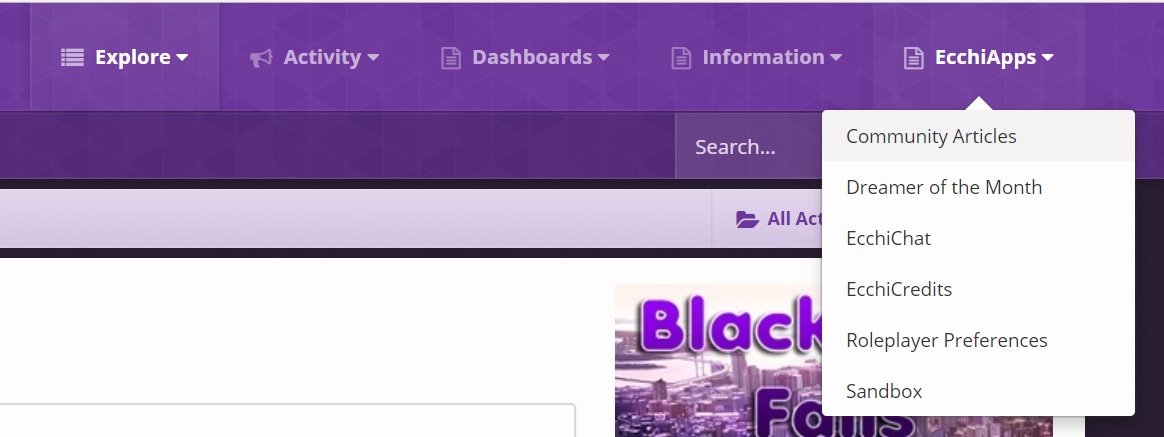
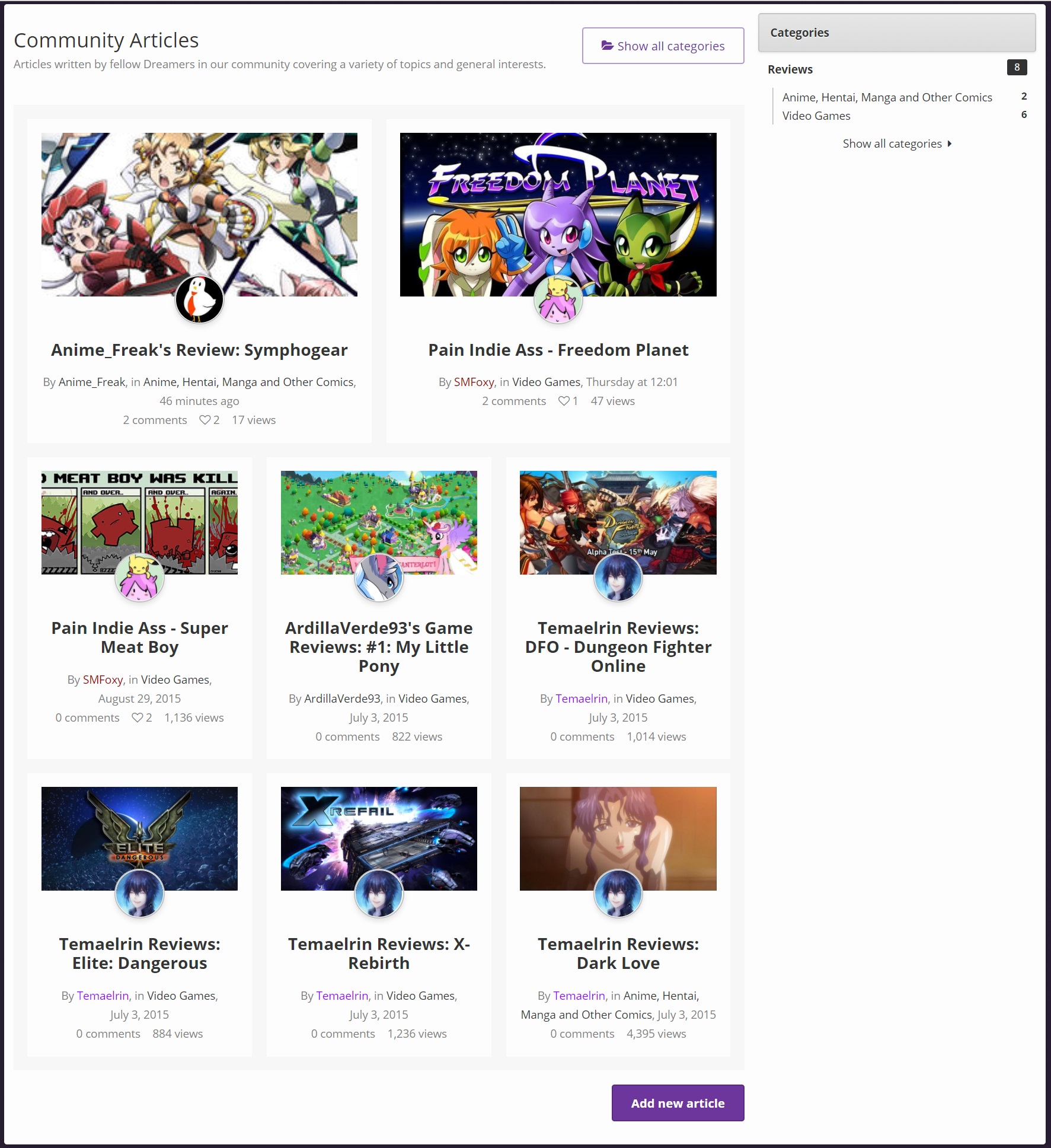
Excuse me whilst I double post, but this is an update to the situation. Remember, three hours ago, I said this: Well... Now you can find it under EcchiApps too. I have also updated it so that the articles display similar to the /news/ section, as seen below. I've also had to edit all the old articles and replace the images, because that was broken and was limiting them to 200x200px. Which is now resolved. I will be working on incentives in the next update, or at least start looking at implementation of a framework for it.
-
Anime_Freak's Review: Symphogear
Tema commented on Anime_Freak's article in Anime, Hentai, Manga and Other Comics
This is a very nicely written piece. Unlike me you keep yourself coherent and to the point. I'm not big into Anime (Prefer Hentai), but I might just check this out. Thanks for this Anime_Freak! Have a like! -
suggestion: implemented Community Articles Section...
Tema replied to Whoreo's topic in EcchiMeta's Comments & Suggestions
Yes and no. I would love to add some to it; for certain. I think if the article is popular enough you get EcchiCredits based on tiered amount of likes you get. For example 10 Likes = 1,000 EcchiCredits, 50 Likes = 5,000 EcchiCredits (Plus the 1,000 you got for 10 likes) and so on. If this is working or not is unknown at this time and that part is on my to-do list. There used to be trophies too, but this feature has never worked properly since the Big Update.